![V-logo_new.png]](https://help.veremark.com/hs-fs/hubfs/V-logo_new.png?height=40&name=V-logo_new.png)
What is the document check?
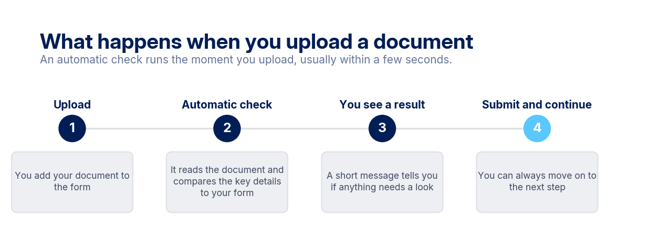
When you upload a document to the Veremark form, an automatic check reads it and compares the key details against what you entered, such as your name and date of birth. It runs as soon as you upload, usually within a few seconds, so anything that needs a second look is flagged straight away rather than days later in manual review.
Will it stop me from submitting?
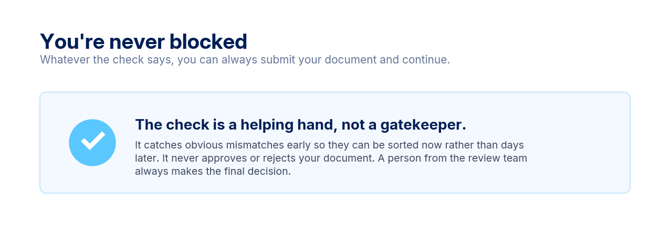
No. You can always submit your document and continue with your background check, regardless of the result of the automatic check.
If a message appears, it is there to help you identify potential issues before you submit. However, you can still continue if you believe your document is correct.
The automatic check does not approve or reject your document. Every document is reviewed by a member of our team, who makes the final decision.
What do the messages mean?
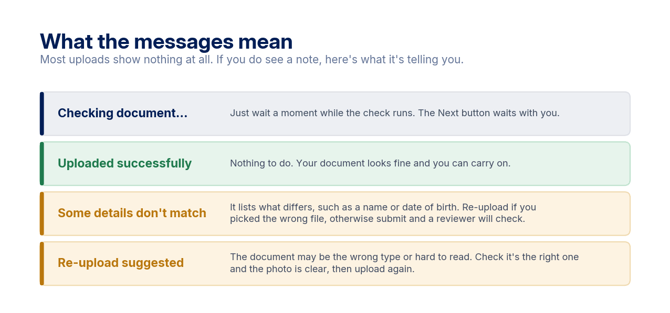
Most documents are uploaded without any messages. If you do see one, here's what it means:
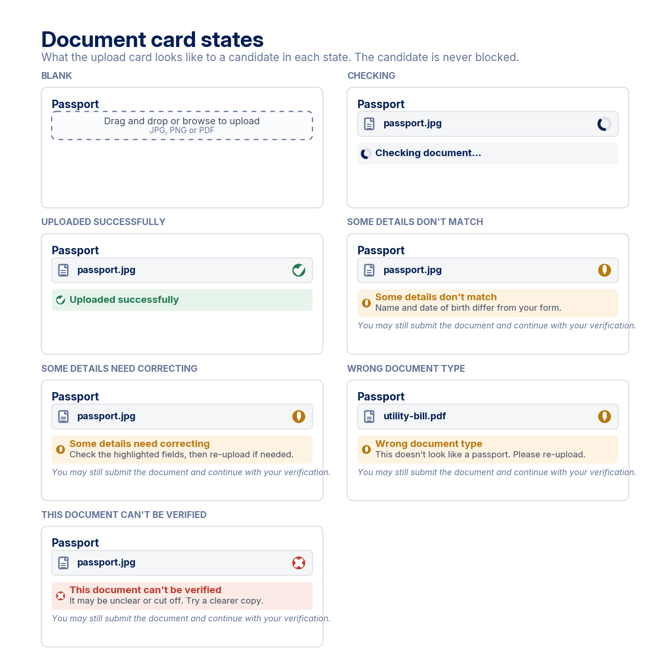
- Checking document... — Your document is being checked. Please wait a few moments while the check completes.
- Uploaded successfully — No issues were detected. Continue with your background check.
- Some details don't match — Some information on your document doesn't match the details you entered, such as your name or date of birth. If you uploaded the wrong document, upload the correct one. If your document is correct, you can still submit it—our review team will check it.
- Re-upload suggested — Your document may be difficult to read or may not be the correct document type. Check that you've uploaded the requested document and that the image is clear, then upload it again.
It says my details don't match, but they're correct. What should I do?
If your details are correct, you can still submit your document and continue with your background check.
The automatic check is designed to recognise small differences, such as Jon instead of Jonathan or St instead of Street. However, it may occasionally identify a mismatch where the information is actually correct. For example, this can happen if:
- Your name is written in a different language or script.
- A document contains a different reference number, such as on the reverse side of an ID card.
If this happens, there's no need to worry. A member of our review team will manually review your document and make the final decision.
Why didn't it just accept my document?
The automatic check is an initial review designed to identify potential issues as soon as you upload your document. This helps us catch obvious mismatches early and reduce delays later in the verification process.
The automatic check does not decide whether your document is accepted. Every document is reviewed by a member of our team, who makes the final decision.
Is my document being checked for fraud?
The automatic check looks for visible signs that a document may have been altered or may be difficult to assess. However, it does not perform a full authenticity or anti-fraud assessment.
If the check identifies something that needs a closer look, it does not mean your document is fraudulent. A member of our review team will manually review the document and make the final decision.
Tips for a smooth upload
To help avoid delays, please make sure that:
- You upload the document requested in the form.
- The entire document is visible, including all four corners.
- You use a clear, well-lit photo or scan, and all text is easy to read.
- Your document is valid and has not expired, where applicable (for example, a passport or driving licence).